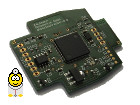
CANhack.de CAN interfaccia RKS+CAN
Hardware CAN, Software CAN, Protocolli CAN - Forum CAN-Bus per il tuo progetto CAN-Bus.

Software RKS+CAN: App personalizzata

 
Nuovo argomento Rispondi 🔗 🖨 CANhack.de - Indice » Sistema CAN-USB CANhack.de: RKS+CAN
Autore Messaggio
Bollwing


Iscritto il: 10/08/2013
Messaggi: 8
Karma: +0 / -0   Grazie, mi piace!


Supporto Premium

Messaggio13-12-2014, 10:38    Oggetto: Software RKS+CAN: App personalizzata Cita

Ciao,

Sono interessato all'adattatore RKS+CAN e avrei alcune domande a riguardo.

Con quale software, oltre al KCAN Monitor, posso utilizzare questo cavo?

Vorrei utilizzare il cavo per una mia applicazione specifica.
Com'è esattamente strutturata la DLL? Quali funzioni API sono disponibili?
È possibile assegnare un indirizzo personalizzato alla "porta" nella DLL, in modo che funzioni come un dispositivo di controllo porte sviluppato internamente e invii messaggi con il suo identificativo?

ciao
Gerald.


Tradotto il 09-08-2026, 19:38.
Torna su Profilo MP
CAN-Diagnose
Administrator
Administrator
Avatar-CAN-Diagnose

Iscritto il: 07/06/2011
Messaggi: 573
Karma: +29 / -0   Grazie, mi piace!
Località: Ländle


Messaggio13-12-2014, 12:41    Oggetto: Software RKS+CAN: App personalizzata Traduzione in corso...

[Traduzione in corso...]

Hallo Gerald,

es gibt diverse Programme die über die virtuelle serielle Schnittstelle ansprechbar sind, Details gerne per PN.
Explizite Programme für das Interface sind derzeit KCANMonitor und KOBD2Check.

Die Hardware stellt zwei Schnittstellen per USB zur Verfügung:
- Virtuelle serielle Schnittstelle mit ASCII Befehlssatz - USB Interface DLL, nutzbar entweder mit ASCII Befehlssatz oder beliebigen Programmiersprachen die DLLs einbinden und nutzen können.

Was genau mit welcher Programmiersprache bzw. IDE willst Du realisieren?

Am Ende von http://www.canhack.de/it/viewtopic.php?t=137 findest Du eine Beispielapplikation mit Visual C++ (Example.rar).
In diesem Fall könnte eine am Interface angeschlossene Software die Funktionen Deines Türsteuergeräts erledigen.

Die API des Interface sieht so aus:
Citazione:
// RKS-USB.h : main header file for the RKS-USB DLL
//

#pragma once

#ifndef __AFXWIN_H__
#error "include 'stdafx.h' before including this file for PCH"
#endif


// CAN frame types
#define FRAME_TYPE_NORMAL 0x1
#define FRAME_TYPE_RTR 0x2
#define FRAME_TYPE_NORMAL_EXT 0x3
#define FRAME_TYPE_RTR_EXT 0x4
#define FRAME_TYPE_ERR 0x5

// CAN data structure
typedef struct
{
DWORD dwID;
BYTE byDLC;
BYTE abyData[8]; // max 8 data bytes
} can_data_t;

// CAN error information structure
typedef struct
{
BYTE byError;
} can_err_t;

// CAN information structure
typedef union
{
can_data_t sData;
can_err_t sErr;
} can_union_t;

// The final CAN frame structure used for send/receive
typedef struct
{
BYTE byType;
DWORD dwTimeStamp;
can_union_t uFrm;
} can_msg_t;

// DLL exports

// Initialize USB driver, open connection to RKS+CAN hardware. Returns TRUE on success.
// This command must be done once before calling any other RKS... function, except
// RKSDeviceConnected.
extern "C" __declspec(dllexport) BOOL RKSInitialize(void);

// Free USB driver and RKS+CAN hardware. Should be called to release interface/driver.
extern "C" __declspec(dllexport) void RKSFree(void);

// Check if the RKS+CAN is connected to the computer. Returns TRUE on success. pcBufIfGUID can be NULL.
// If pcBufIfGUID is not NULL, copy the DeviceInterfaceGUID of the RKS+CAN hardware to it.
// If you check simply if the RKS+CAN is connected, it is recommended to call it with pcBufIfGUID = NULL.
extern "C" __declspec(dllexport) BOOL RKSDeviceConnected(LPSTR pcBufIfGUID, DWORD dwBufSize);

// Set the timeouts for reading / writing data to the RKS+CAN interface. The software waits at maximum the
// specified values for read/write operations to complete. Returns TRUE on success.
extern "C" __declspec(dllexport) BOOL RKSSetTimeouts(DWORD dwMsTimeoutRead, DWORD dwMsTimeoutWrite);

// Direct read from hardware USB pipes (low level). Not recommended for application use if you do not know what you do.
extern "C" __declspec(dllexport) BOOL RKSReadPipe(PUCHAR pucBuffer, DWORD dwBufferLength, DWORD* pdwLengthTransferred, LPOVERLAPPED pOverlapped);

// Direct write to hardware USB pipes (low level). Not recommended for application use if you do not know what you do.
extern "C" __declspec(dllexport) BOOL RKSWritePipe(PUCHAR pucBuffer, DWORD dwBufferLength, DWORD* pdwLengthTransferred, LPOVERLAPPED pOverlapped);

// Read from hardware using the specified timeout value as maximum time to finish the operation. Returns TRUE on success.
extern "C" __declspec(dllexport) BOOL RKSRead(PUCHAR pucBuffer, DWORD dwBufferLength, DWORD* pdwLengthTransferred);

// Write to hardware using the specified timeout value as maximum time to finish the operation. Returns TRUE on success.
extern "C" __declspec(dllexport) BOOL RKSWrite(PUCHAR pucBuffer, DWORD dwBufferLength, DWORD* pdwLengthTransferred);

// Get the version of the of the RKS+CAN hardware. Returns TRUE on success.
extern "C" __declspec(dllexport) BOOL RKSGetVersion(PUCHAR pucBuffer, DWORD dwBufferLength);

// Get the serial number of the RKS+CAN hardware (printed on the cable case). Returns TRUE on success.
extern "C" __declspec(dllexport) BOOL RKSGetSerial(PUCHAR pucBuffer, DWORD dwBufferLength);

// Return time since RKS-USB driver initialisation. bReInit can be used to reset the time to zero.
// Can be used to get relatively exact time information, the time is returned in seconds.
extern "C" __declspec(dllexport) double RKSGetTimeSinceInit(BOOL bReInit = FALSE);

// Get the error status of the RKS+CAN interface in pbyStatus. Returns TRUE on success.
extern "C" __declspec(dllexport) BOOL RKSCANGetLastStatus(BYTE* pbyStatus);

// Set RKS+CAN hardware to listen only mode. Returns TRUE on success.
extern "C" __declspec(dllexport) BOOL RKSCANSetListenOnly(BOOL bEnabled);

// Set time stamp mode of the RKS+CAN hardware. E.g. 0, 1 or 2.
// For possible values check the ASCII interface description. Returns TRUE on success.
extern "C" __declspec(dllexport) BOOL RKSCANSetTimeStamp(BYTE byMode);

// Get time stamp mode. Returns TRUE on success.
extern "C" __declspec(dllexport) BOOL RKSCANGetTimeStamp(BYTE*pbyMode);

// Get the supply voltage of the RKS+CAN hardware. Returns TRUE on success.
extern "C" __declspec(dllexport) BOOL RKSCANGetUb(DWORD* pdwVoltage_mV);

// Set CAN hardware filtering of the RKS+CAN hardware. Returns TRUE on success.
extern "C" __declspec(dllexport) BOOL RKSCANSetFilter(DWORD dwCode, DWORD dwMask);

// Open CAN bus with the desired bitrate. Returns TRUE on success.
extern "C" __declspec(dllexport) BOOL RKSCANOpen(DWORD dwBitrate);

// Close CAN bus. Returns TRUE on success.
extern "C" __declspec(dllexport) BOOL RKSCANClose(void);

// Get one CAN message from the receive queue, RKSCANOpen(...) must have
// been called before. Returns TRUE on success.
extern "C" __declspec(dllexport) BOOL RKSCANRx(can_msg_t* pMsg);

// Add one CAN message to the send queue, RKSCANOpen(...) must have
// been called before. Returns TRUE on success.
extern "C" __declspec(dllexport) BOOL RKSCANTx(can_msg_t* pMsg);


Die selbständige Abarbeitung von gespeichterten Programmen auf dem RKS+CAN ist angedacht, macht aber zur Zeit wegen keinen I/O Pins nur bedingt Sinn, da alle Eingaben entweder über CAN oder USB kommen müssten.

Viele Grüsse, Rainer
Dipl.-Ing. (FH) Rainer Kaufmann - Embedded Software Freelancer
System RKS+CAN: CANHack.de CAN-Bus Interface


Ultima modifica il 13-12-2014, 12:43, modificato 2 volte in totale.
Torna su Profilo MP WWW
Bollwing


Iscritto il: 10/08/2013
Messaggi: 8
Karma: +0 / -0   Grazie, mi piace!


Supporto Premium

Messaggio13-12-2014, 15:58    Oggetto: Software RKS+CAN: App personalizzata Cita

Ciao Rainer,

Grazie per la tua risposta dettagliata.

Quale linguaggio di programmazione o ambiente di sviluppo integrato (IDE) intendi utilizzare per realizzare cosa esattamente?
Non è ancora definitivo. Si prevede di utilizzare Microsoft Visual Studio con C o C++.

In ogni caso, vorrei utilizzare l'hardware per due scopi diversi:
* Registrare i messaggi CAN con il software KCANMonitor e crearne di propri.
* Applicazione propria per PC.
- Simulazione di un dispositivo di controllo (ad esempio, in futuro per un progetto universitario: sblocco delle porte tramite il bus CAN).
- Sviluppo di centraline personalizzate. La funzionalità principale, a livello di comunicazione, dovrebbe essere prima implementata comodamente in linguaggio C. Successivamente, la funzionalità così ottenuta deve essere trasferita su un microcontrollore.

L'esecuzione autonoma di programmi memorizzati sul dispositivo RKS+CAN è prevista, ma al momento non è pienamente realizzabile a causa della mancanza di pin di input/output, poiché tutti gli ingressi dovrebbero provenire tramite CAN o USB.
Potrebbe avere senso, ad esempio, per salvare una sequenza di messaggi da inviare al sistema RKS+CAN a intervalli regolari (ad esempio, ogni 100 ms).
Allora, non sarebbe più necessario preoccuparsi del rispetto degli intervalli all'interno della propria applicazione. Su un sistema RKS+CAN, questo non sarebbe un problema (a condizione di avere ancora abbastanza timer disponibili icon_razz.gif).

ciao
Gerald.


Tradotto il 09-08-2026, 20:11.
Torna su Profilo MP

Valutazioni - Software RKS+CAN: App personalizzata

Valutazione media: 0,00 - valutazione peggiore: 0 - valutazione migliore: 0 - numero di valutazioni: 0 - Visualizza valutazioni

Non sei autorizzato a valutare questo argomento. Danke sagen
Nuovo argomento Rispondi 🔗 🖨 CANhack.de - Indice » Sistema CAN-USB CANhack.de: RKS+CAN
Articoli e argomenti simili
Argomento Forum
Nessun nuovo messaggio Audi A3 8PA 2011 eigene Texte ins FIS schreiben Hardware specifica del veicolo e assegnazione pin
Nessun nuovo messaggio Menu personalizzati per strumentazione W211 Classe E CAN Abitacolo / Comfort
Nessun nuovo messaggio Software per CAN Bus CAN Smalltalk, CAN News, Smalltalk
Vai a:  
Non puoi scrivere nuovi argomenti in questo forum.