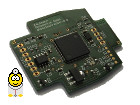
Hello, I want to write a small VB .NET program that simulates the speed for NEC 24c32/64 VDO tachometers, such as those found in VW Passat 3C, Golf 6, T5.2, etc.
It works, but unfortunately only for 4-5 seconds, then nothing happens anymore! The LED then blinks red/green. I probably have an error in the program. Does anyone have experience with this?
my code:
Code:
Imports System
Imports System.Threading
Imports System.IO.Ports
Imports System.ComponentModel
Public Class Form1
Dim myPort As Array
Dim valuehex As String
Dim x280 As String
Private Sub Form1_Load(ByVal sender As System.Object, ByVal e As System.EventArgs) Handles MyBase.Load
myPort = IO.Ports.SerialPort.GetPortNames() 'Array mit den COM Ports füllen
ComboBox1.Items.AddRange(myPort) 'Array in Combo Box laden
Timer1.Start() 'timer 1 Starten
End Sub
Private Sub Button1_Click(ByVal sender As System.Object, ByVal e As System.EventArgs) Handles Button1.Click
'open Button
Try
SerialPort1.PortName = ComboBox1.SelectedItem
SerialPort1.Open() 'Serial Port 1 öffnen
Button2.Enabled = True
Button1.Enabled = False
SerialPort1.Write("S6" & vbCr) 'RKS CAN auf 500hBit/s
Catch ex As Exception
MsgBox("Bitte COM-Port auswählen!")
End Try
End Sub
Private Sub Button2_Click(ByVal sender As System.Object, ByVal e As System.EventArgs) Handles Button2.Click
'close Button
Timer1.Stop()
SerialPort1.Write("C" & vbCr) 'CAN Channal schliesen
SerialPort1.Close()
Button1.Enabled = True
Button2.Enabled = False
End Sub
Private Sub Timer1_Tick_1(ByVal sender As System.Object, ByVal e As System.EventArgs) Handles Timer1.Tick
If SerialPort1.IsOpen Then 'abfragen ob Serial Port geöffnet ist
If TrackBar1.Value > 0 Then
'Trackbar Value in drehzahl umrechnen
valuehex = Hex(TrackBar1.Value * 4)
If valuehex.Length = 1 Then
valuehex = "000" & valuehex
ElseIf valuehex.Length = 2 Then
valuehex = "00" & valuehex
ElseIf valuehex.Length = 3 Then
valuehex = "0" & valuehex
End If
Reason: Unfortunately, you are not evaluating the return codes of the Open/Close/Send commands. Opening and closing the CAN interface can take some time.
It's likely that with all this opening and closing, there will eventually be a state where something is already open and then needs to be opened again, and from that point on, things will just become nonsensical.
The correct procedure would be:
- Open (O), after the correct bitrate has been set on the CAN bus.
- Afterwards, only send and receive CAN messages.
- If your program is ending or other parameters need to be set, close the CAN connection (C) beforehand and wait briefly.
My suggestion would be the following:
Replace.
Code:
SerialPort1.Write("S6" & vbCr) 'RKS CAN auf 500hBit/s
through
Code:
SerialPort1.Write("C" & vbCr)
Threading.Thread.Sleep(50)
SerialPort1.Write("S6" & vbCr) 'RKS CAN auf 500kBit/s
SerialPort1.Write("O" & vbCr)
I've thought some more about your problem and have edited the previous post again.
The comment I provided earlier regarding the Windows driver was not applicable to your case; I apologize for the confusion.
Theoretically, most of your "Threading.Thread.Sleep(5)" calls should be unnecessary, as the function for writing to the serial port should hopefully work correctly.
Subject:
Quote:
Die LED blinkt dann rot/grün.
The description is unfortunately not precise enough. The red/green blinking indicates different statuses depending on the type of blinking, including the normal operating status when the CAN bus is active. Could you possibly film the behavior of the LED(s) and upload it here as an attachment?
Please provide the text you would like me to translate from German to English. I will then give you only the translation, without any explanations. After that, please tell me about any changes you have made and whether they solved your problem.
Hello,
Unfortunately, I couldn't test the solution you suggested until today! Sadly, it doesn't work. I've also uploaded a video. When it comes to the blinking, with the first version of my program, it was a slow alternating blink, about 1/2 second red/green. Now, as you can see in the video, it's difficult to discern; it mostly glows red, and green flashes briefly in between, almost as if CAN messages are still being sent, but the tachometer reading remains at 0 RPM.
I've also tried it on two other computers, and I get the same result everywhere.
I think I'm sending too much data to the serial port when I simulate the multifunction keys with buttons. If I don't send all the CAN messages to the serial port every 100ms using a timer, but instead only open the CAN channel and send the data when the button is pressed, then close it again, it works without problems.
Best regards, David.
VB program speed simulation error - VID_20151121_150335.mp4
As I see it, the interface is running normally. When CAN is opened, the LEDs change from solid green to red, while simultaneously blinking green.
Here are the LED status indicators for the RKS+CAN (firmware version 1070):
LED1: red.
LED2: green.
LED_SELFTEST: LED 1 on, LED 2 on (red and green LEDs lit).
LED_BOOT: LED 1 and 2 blink simultaneously (the red and green LEDs blink together).
LED_OK: LED 1 is off, LED 2 is on (this indicates a normal state when connected to USB, the green LED is lit).
LED_HWFAILURE: LEDs 1 and 2 are blinking alternately (red-green-red-green...).
LED_CANOPEN: LED 1 is on, LED 2 is blinking (red LED is lit, green LED is flashing).
LED_CANERR: LED 1 blinking, LED 2 on (red LED blinking, green LED on).
LED_SWFAILURE: LED 1 is on, LED 2 is off (red LED is lit).
Quote:
I think I'm sending too much data to the serial port when I simulate the multifunction keys with buttons, and I'm not sending all the CAN messages to the serial port every 100ms using the timer.
Sending a few messages every 100 milliseconds should not be a problem.
What happens if you disconnect the CAN connection? Does the LED then turn permanently green again?
If you start sending messages again later, will the tachometer needle go back to 4000 rpm?
Which version of Visual Studio are you using? Versions 2008 and 2015 would be suitable for testing your Visual Basic program.
"I accidentally discovered today that when the interface isn't connected to the speedometer, everything works normally! So, it must be related to the incoming CAN messages. Now, I clear the input buffer of the serial driver in each timer cycle, and everything is working as expected."
Code:
SerialPort1.DiscardInBuffer()
Vielen Dank für deine Hilfe!!
Please find attached my example project created with VB .NET 2010.
Greetings.
David.
RKS CAN Test 2.zip
Description:
Beispiel Ansteuerung Kombiinstrument/Instrumentenbrett mit RKS+CAN, Visual Basic .NET 2010
For the sake of completeness: If you simply want to test an AI, you can also configure the corresponding CAN messages for sending in KCANMonitor. You don't need to write any code; you just enter the messages you want to send into KCANMonitor. This "mini-program" can then be saved (e.g., as "AI-Test-XY") and loaded again later.


 Bookmarks
 Garage
 FAQ, Legal Notice & Privacy
 RSS Feed
 Register
 Login
Login